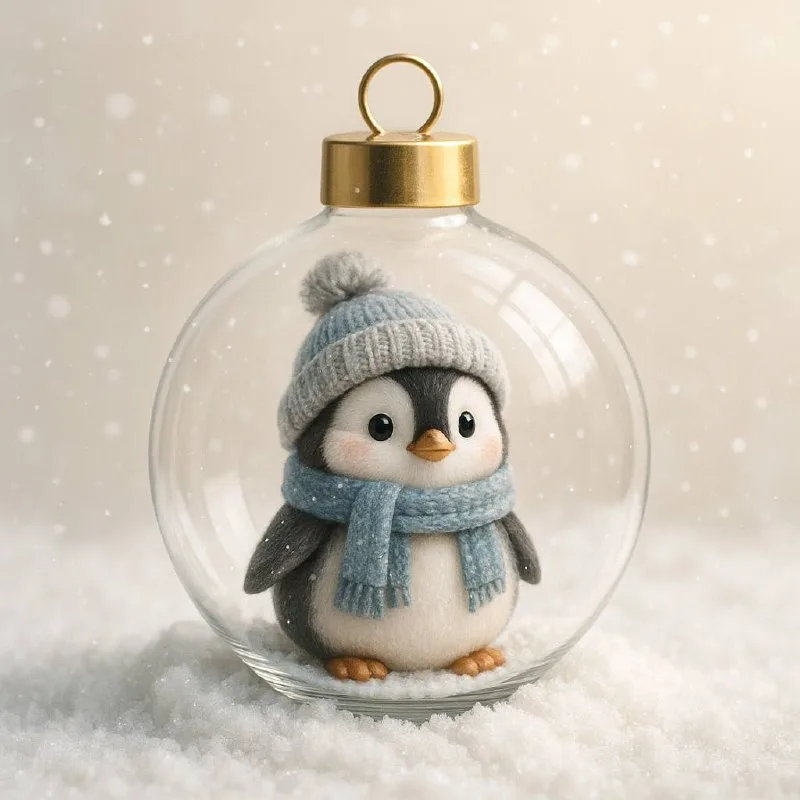
Decide what goes inside the bauble
Post No. 106 offers one prompt for different objects. Use a compact object for the exercise: a box, small house, mug or brand symbol. Its shape should remain readable inside the circular glass outline.
If a long object sits too close to the edges, the model may crop it or distort the bauble. Imagine the object centered in a circle, with a small gap around it. This space is needed for glass, lighting and a sense of interior depth.
For an actual product, prepare a photograph. Tools that support source images can accept a reference. Do not assume the name alone adequately describes packaging: similar jars and boxes can differ in label, lid and proportions.
The ready-made channel prompt
An object inside a glass Christmas bauble
Create a hyper-realistic modern Christmas tree ornament featuring a transparent glass bauble with a sleek gold cap, standing on a bed of soft snow. Inside the ornament, place [Объект], surrounded by glowing lights and delicate snowflakes. The background should be soft and light, with a pleasant pastel or creamy glow, and gently falling snowflakes, creating a calm, magical, and festive winter atmosphereReplace [Объект] with a specific object. For example, say that a small ceramic mug stands inside. If position matters, describe it alongside the object: upright, handle facing right, fully visible. This defines the object within the scene rather than merely mentioning it.
Standing on a bed of soft snow refers to the glass bauble: it stands on snow. If you need it hanging from a branch, change that part and specify a suspension. Do not keep both standing and hanging requirements.
The source includes glowing details and snowflakes inside. For complex packaging, first reduce the decoration: keep the interior to the object and gentle lighting. Then add a couple of snowflakes if they do not obscure the product name.
Distinguish glass from a transparent circle
Glass is conveyed through edge highlights, wall thickness and slight background refraction. If you get only a thin circle around the object, ask for a dimensional glass shell. Do not intensify reflections across the whole surface: a bright patch in front of a label will make it unreadable.
Check the gold cap at the top. It should connect to the bauble and match its scale. Sometimes this small element becomes a bag handle or detaches from the surface; that immediately breaks the product-photo illusion.
Check the object's position. It should not be both inside the glass and crossing the outer surface. If a product edge passes through the bauble, ask for it to fit entirely inside with clear space around it.
A soft background with visible volume
The cream or pastel background separates the winter scene from aggressive advertising. But a pale product on pale snow may disappear. Change the background tone or add a soft shadow beneath the object while keeping the gentle lighting.
Compare the image at a small size. Three things should be clear: the bauble, the object and its contact with the snow. If you see only a circle with a colored patch, enlarge the object and reduce highlights. Free backgrounds and elements can extend the setting; choose them after the main scene is ready.
Add the greeting separately
Leave a calm area above or beside the object for short text. Type the promotion name, date and terms in your editor. The greeting will remain editable while generation handles only the product scene.
For a winter headline, try snow lettering. If the layout already contains many white details, compare decorative lettering with a regular dark font: viewers should understand the message before inspecting the glass.
Before exporting, check packaging, product shape and all visible wording. Save a version without the greeting: a successful bauble can be reused in several sizes with different text without generating the entire scene again.
Assets for your next layouts
Complete the holiday image with backgrounds, objects and accents from Designer Pack. Its contents page shows which collections and source files are included.