First choose what exactly needs to change
In the selection from the channel there are two different approaches. The Gothic version turns a person into a puppet character, while the cinematic version changes the lighting, atmosphere and some details of appearance. Knitted and leafy requests, on the contrary, require keeping the person realistic. Do not mix these tasks in one request.
Take a photo where the face, hair and the border of clothing are clearly visible. For the first comparison, use one source in all four options. This way it will be noticeable what each technique has changed: the proportions of the face, the light, or just the texture of the background. A photo with very dark hair against a dark background will make it difficult to check the edges.
Gothic doll portrait
Gothic doll portrait
Transform the uploaded photo into a whimsical gothic stop-motion animated portrait. Preserve the person’s recognizable facial features, hairstyle, pose, clothing colors and accessories. Reimagine the subject with slightly elongated proportions, expressive large eyes, delicate pale complexion and handcrafted clay-like textures. Crooked fairytale architecture, twisted bare trees, moonlit mist, deep navy, charcoal and muted burgundy palette, striped details, playful macabre atmosphere, dramatic soft lighting. Elegant and charming, not frightening. No additional characters, no text, no logo, no watermark, vertical 9:16, ultra detailed.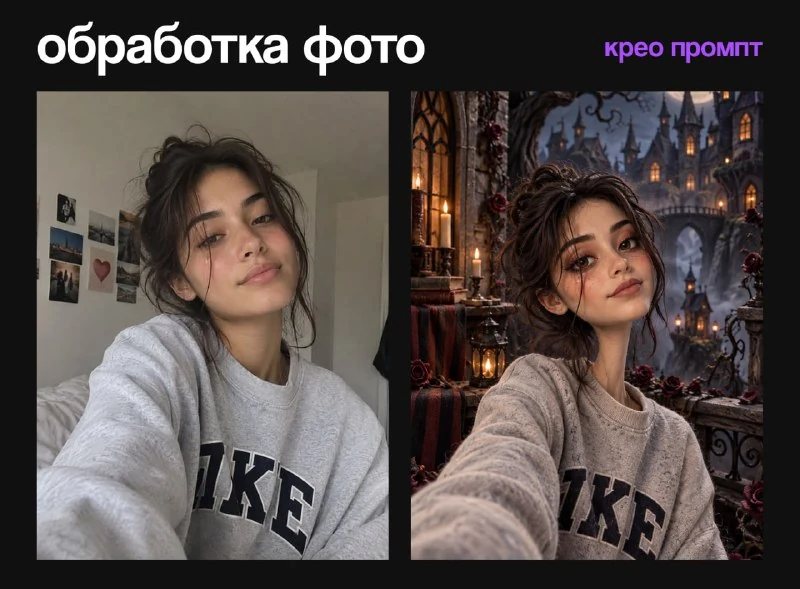
Here stop-motion animated portrait and clay-like textures define the appearance of the stop-motion character. This is a request for a static image, not a video. Enlarged eyes and elongated proportions are part of the idea, so you need to compare the result with a photograph based on recognizable features, and not on an exact match of geometry.
The phrase Elegant and charming, not frightening softens the gothic atmosphere. If you need calmer details, reduce the role of crooked buildings and fog. Maintain generic character material: Changing one architecture usually doesn't require changing the face and clothing at the same time.
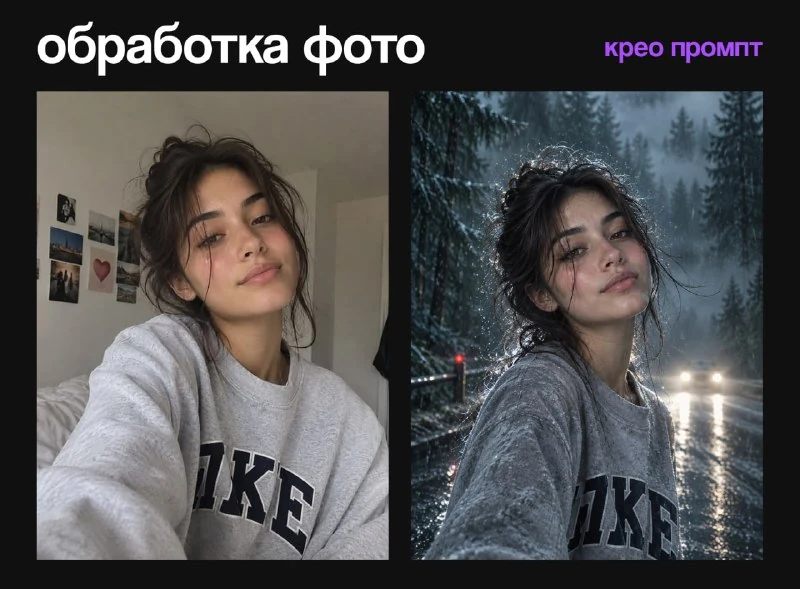
Cold cinematic frame
Cold cinematic portrait
Transform the uploaded photo into a dramatic supernatural romance movie poster inspired by the cold, mysterious atmosphere of Twilight. Preserve the person’s recognizable face, hairstyle, body proportions, pose and clothing. Place the subject on a rain-soaked road surrounded by a dense misty evergreen forest at blue hour. Add wind-blown hair, glowing raindrops frozen in the air, wet asphalt reflections and distant car headlights diffused through the fog. Give the subject slightly pale luminous skin and intense warm amber eyes while keeping their identity completely recognizable. Cold cyan and deep forest-green color grading with one subtle dark-red accent. Powerful cinematic backlight, shallow depth of field, realistic rain and premium film-poster composition. Mysterious, romantic and emotionally intense, no horror and no blood. No additional people, no text, no logo, no watermark, vertical 9:16, photorealistic, ultra detailed, 8k.The request uses rain, wet road, forest, backlight and cool color correction. Warm amber eyes and slightly pale skin are also stated directly. If they are unwanted, remove these changes before submitting: one requirement to preserve your identity does not negate another requirement to change eye color.
Assess whether the background headlights have become brighter than your face. For a portrait, the face should remain the main part of the frame. If light and fog have eaten up the outline, reduce the atmosphere and increase the separation of the person from the background, while maintaining the direction of the lighting.
We only change the environment: yarn or leaves
Knitted surroundings around a person
Transform only the background and surrounding objects into a cozy knitted autumn world made of wool, crochet, felt and chunky yarn. Keep the person completely photorealistic and unchanged, preserving their real face, skin, hair, pose, clothing and accessories. Maintain the original composition, object positions, lighting and shadows. Warm autumn palette of burgundy, cinnamon, caramel, mustard and cream. Clean natural edges around the person, no knitted texture on the body or clothing, no new objects or characters, no text, logo or watermark, vertical 9:16, ultra detailed.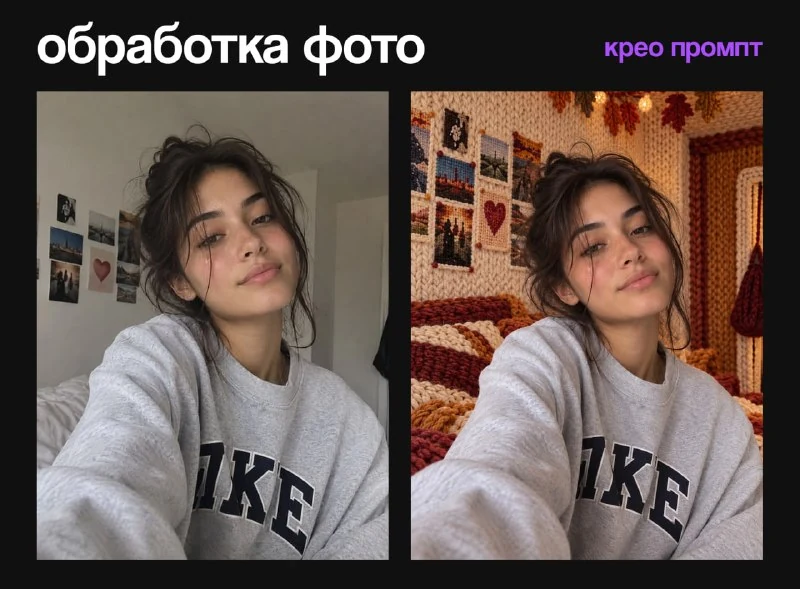
Surrounded by autumn leaves
Transform only the background and surrounding objects into an intricate autumn world made from layered maple, oak and birch leaves. Keep the person completely photorealistic and unchanged, preserving their real face, skin, hair, pose, clothing and accessories. Maintain the original composition, object positions, lighting and shadows. Rich palette of amber, copper, burgundy, ochre and gold. Clean natural edges around the person, no leaf texture on the body or clothing, no new objects or characters, no text, logo or watermark, vertical 9:16, ultra detailed.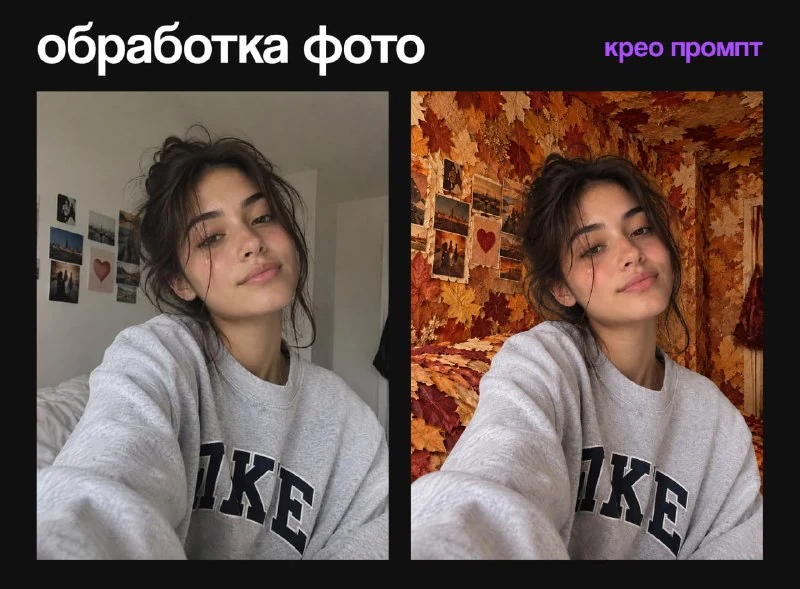
The important words in both queries are only the background and person completely photorealistic and unchanged. They separate the surrounding material from the body material. Check your fingers, hair, collar and shoes: yarn or leaves should not transfer to the person if this is your choice.
For a knitted scene, make sure the items are recognizable by their shape rather than being reduced to a generic tangle. For leaves, look for layers, veins and a slight thickness. The same orange fill on each object does not yet create the feeling of a space collected from leaves.
How to finish the result in the editor
Place the original photo and generation on adjacent layers. Compare the eyes, jaw line and hand position at the same scale. If only the background has changed, you can return the original person with a mask and separately adjust the light on the environment. Treat thin hair and translucent areas of clothing especially carefully.
To publish, add the title as a separate text layer: all four requests exclude text. Save the source, the full request and the final version so that the next portrait will repeat the selected technique. Another way to change only part of the image is to replace the object or background with a structure made of blocks.
Select the inscription for the next layout
For other inscriptions and materials there is Creative AI Typography: 823 prompts with examples, search and sections. In the free demo you can test the approach on your own text.